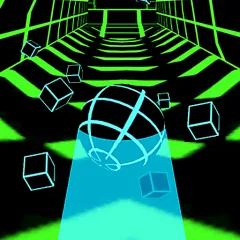
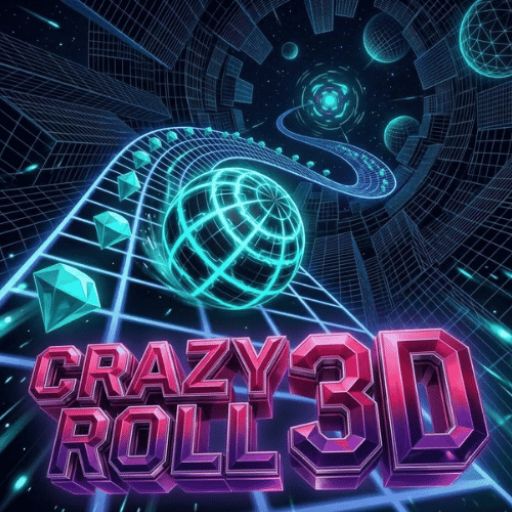
Crazy Roll 3D is a fast-paced 3D endless runner testing steering precision on suspended neon courses. Players steer a fast-accelerating sphere over steep hills and uncertain platforms to avoid falling into the void. Your goal is to acquire diamonds, activate tactical power-ups, and cover the most distance on progressively chaotic tracks.
Crazy Roll 3D High-Altitude Tracks: Velocity and Precision
Every run starts moderately, but severe slopes accelerate the rolling sphere to deadly speeds where microsecond delays kill. As the track bends, tilts, and shifts mid-air, players must dodge red impediments and keep their balance. You’ll need laser-sharp focus to play, balancing momentum on shaky ramps and through tight tunnels.
Growing Threats and Reaching Course Milestones
The main loop of Crazy Roll 3D is to survive endless downhill courses with fixed blocks, swinging barriers, and aerial leap ramps. The ball picks up momentum rolling forward naturally, so you have to pre-empt holes and moving obstacles. Diamonds also allow you to unlock things over time, such as new spheres in varied sizes and paint jobs, increased duration for support items, or new environments for Race Mode.
Dynamic Challenge Formats: Solo Survival to Split-Screen Showdowns
Crazy Roll 3D takes the endless runner genre to the next level with solo endurance, head-to-head competition, and progression-based unlocks:
- Classic Endless Mode: Test your survival skills in single-player mode on an endless track. Speed scales constantly as you dodge obstacles, collect gems, and use power-ups to set distance records.
- 2-Player Split-Screen Mode: A savage local brawl on one computer screen. The first person to hit a barrier or fall into the void loses in this sudden death race. More often, undulating surfaces appear, making it tougher to balance the ball.
- Race Mode: Trade diamonds for new surroundings, including the meandering Forest circuit (500 diamonds) and the high-tech Neon City track (1,000 diamonds).
Control Your Sphere on Desktop and Mobile
Both single-player and local battles require reliable inputs to navigate Crazy Roll 3D's dangerous aerial slopes:
- A, D: Steer the rolling ball left or right across the track.
- Q / Key 1: Use the Shield to survive a crash without restarting.
- W / Key 2: Pull all neighboring diamonds to you with the Magnet.
- E / Key 3: Activate the 2x Crystals booster to double diamonds acquired.
- Mobile device touchscreen swiping or tapping: drag horizontally or tap edges of the screen using the customizable input toggles under Settings
Tactics to Increase Distance and Multipliers
To be able to survive the high-speed runs in Crazy Roll 3D, you need to have accurate technique and manage your resources well:
- Scan Ahead of the Ball: Don't stare at your sphere; rather, gaze 1-2 seconds down the track, allowing your reflexes to find the safe spaces before you hit full speed.
- Adjust Input Sensitivity: If steering feels slow or twitchy, you can tweak the control response to match your hardware with the Settings slider.
- Magnet & Multiplier Combo: Roll into dense crystal clusters and press keys 2 & 3 together to suck up all gems and quadruple your payoff.
- Place the sphere in the middle of the reception platform to prevent it from bouncing off the side before landing from the launch pads.
- When the ramps get bumpy, and when things get serious, you want to keep your ball in the middle, or you’ll be sending off-balance rollers into the abyss.
Crazy Roll 3D is an epic endless runner with boundless replayability in the form of unlockable courses, dynamic boosters, and fierce split-screen gameplay. Take the controls today, avoid red hazards, and top the high-score scoreboard.
Lusting for speed? Try Escape the Giant School 3D